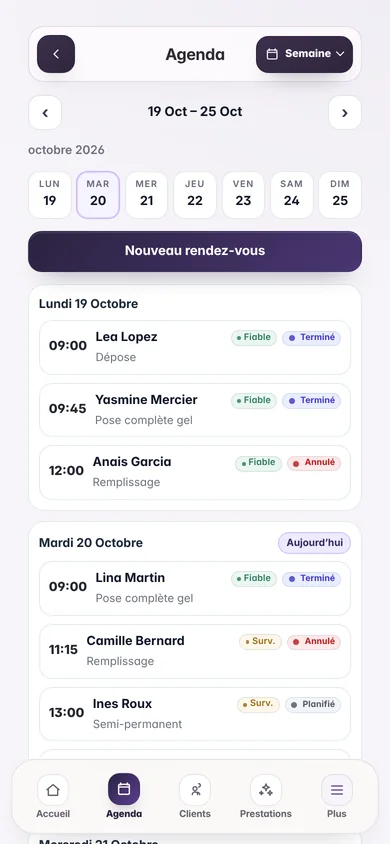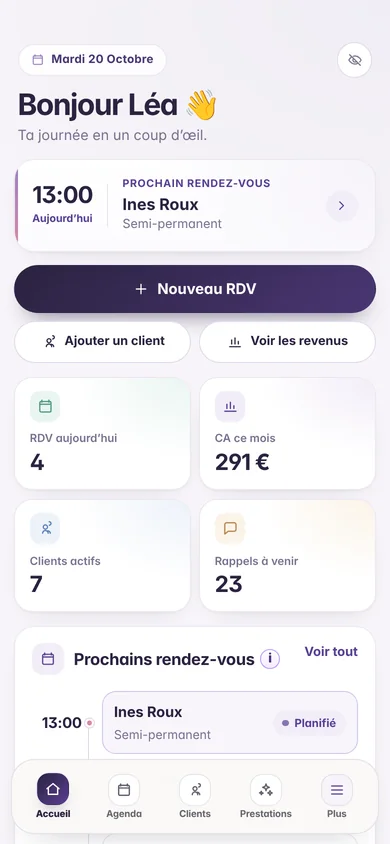

Open the correct browser
Browsers integrated into Instagram or Facebook do not always offer installation. Open the page in Chrome on Android or Safari on iPhone.
Your workspace, always within reach
Open your calendar and client list from an icon on your Home Screen. Installation takes just a few moments in your browser.
No app store download is required.
When direct installation is available in Chrome, the install button appears here. Otherwise, follow the steps shown.
Open my Flowa workspaceOn your Android phone, open Chrome and sign in to your Flowa workspace. If you opened the link from Instagram or another app, choose “Open in Chrome”.
Press Install Flowa now if the button is offered on this page. Otherwise, open the menu ⋮ from Chrome then choose Install the app Or Add to Home Screen, depending on your version.
Press Install. The Flowa icon will appear on your Home Screen or in your app library.
Launch Flowa from this icon. If your session has expired, log in again with your usual account.
On iPhone, the addition is done from the Safari sharing menu. Chrome's auto-install button is not necessary.
Open my Flowa workspaceOpen Safari on your iPhone, then go to Flowa and sign in. From Instagram or Facebook, first open the page in Safari.
Tap the icon Share from Safari. Depending on the tab layout, touch the page menu button first, then Share.
Scroll through the actions and tap Add to Home Screen. If this action is missing, open Edit actions to add it.
Activate Open as web app if the option is offered, then tap Add. Then launch Flowa from its new icon.
Need help?
Browsers integrated into Instagram or Facebook do not always offer installation. Open the page in Chrome on Android or Safari on iPhone.
On Android, look for “Install app” or “Add to home screen” in the ⋮ menu. On iPhone, scroll through the share sheet and use “Edit Actions” if necessary.
You can still use Flowa in the browser. To view up-to-date data or perform an action, an internet connection is still necessary.
Browser instructions: Google Chrome help And Apple support.
No account yet?
Create your space in minutes, add your services and let Flowa send the reminders for you.
Nothing is charged when the trial ends.