Times change
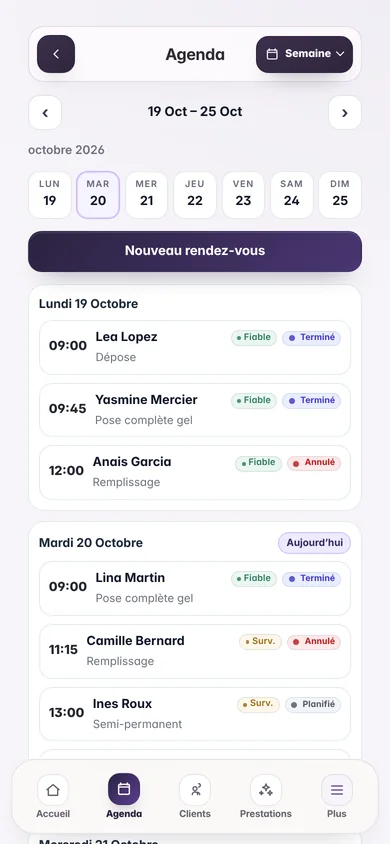
A new date or time must move the reminder without keeping the previous send.
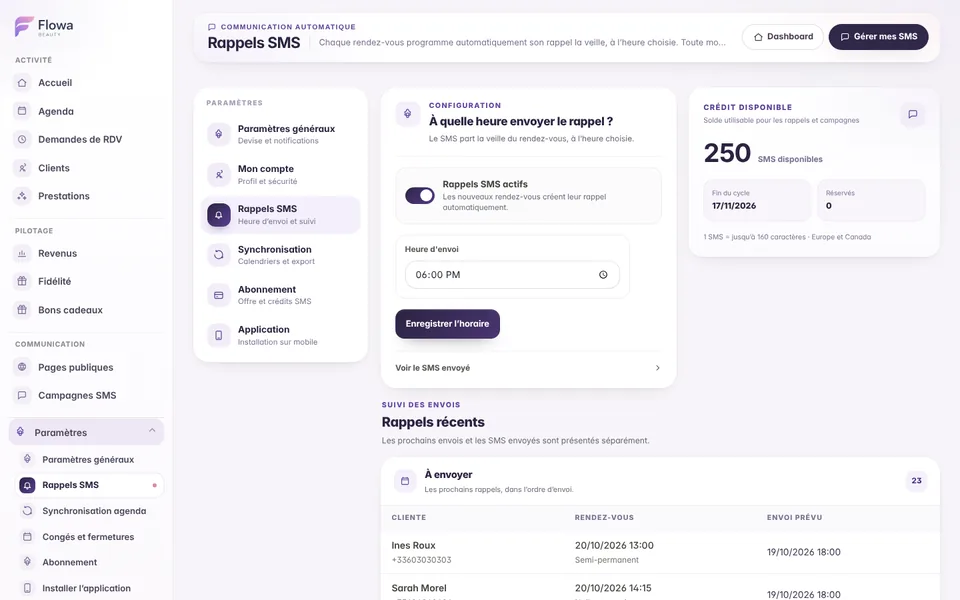
Choose one sending time. Flowa prepares the reminder connected to every eligible appointment, recalculates it when the booking changes and prevents an obsolete message after a cancellation or deletion.
The everyday need
Preparing every message by hand wastes time and creates mistakes whenever a client moves a booking. Flowa uses the calendar as the source of truth.
A new date or time must move the reminder without keeping the previous send.
A cancelled or deleted appointment must no longer trigger its SMS reminder.
See what is still due and what has already been sent without reading a mixed activity log.
Inside Flowa
The appointment remains the source of truth, so its reminder follows the same lifecycle.
Set one time for reminders scheduled on the previous day.
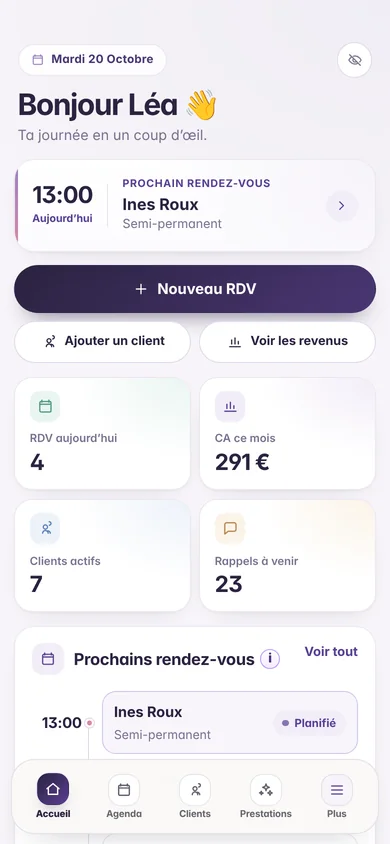
Creating an eligible appointment prepares its reminder without opening the SMS page.
Changing the date, time, client or service updates the connected reminder.
Cancelling or deleting a booking prevents its obsolete reminder from being sent.
The reminder stays identified by its appointment and a send is claimed before the SMS provider is contacted.
Due and sent reminders are separated, paginated and linked to their SMS credit operation.
How it works
Automatic calculation follows every relevant calendar update.
Choose the daily sending time for previous-day reminders.
Add the client, service, date and time in the calendar.
Flowa recalculates the reminder when appointment information changes.
See messages that are still due and those already sent.
Clear rules
Frequently asked questions
Every answer reflects how Flowa Beauty currently works.
It is calculated for the day before the appointment at the single time selected in your settings.
No. Appointment creation and updates automatically create or recalculate the reminder.
The existing reminder is recalculated from the new appointment date and time.
Cancellation or deletion neutralises the obsolete reminder before it is sent.
Yes. The monthly allowance is shared between automatic reminders and SMS marketing campaigns.
Everything stays connected
Try them for 14 days with your real services, no payment card needed. Every feature is then included in the single €29.90/month plan.
Nothing is charged when the trial ends.