Durations vary
Treatments and combined services should not be forced into one arbitrary slot length.
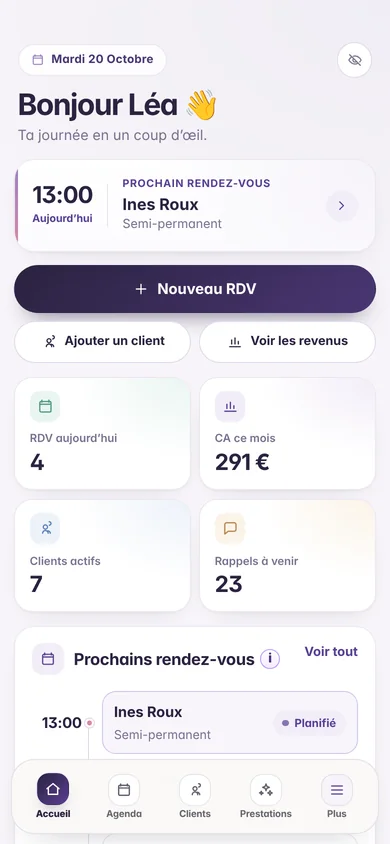
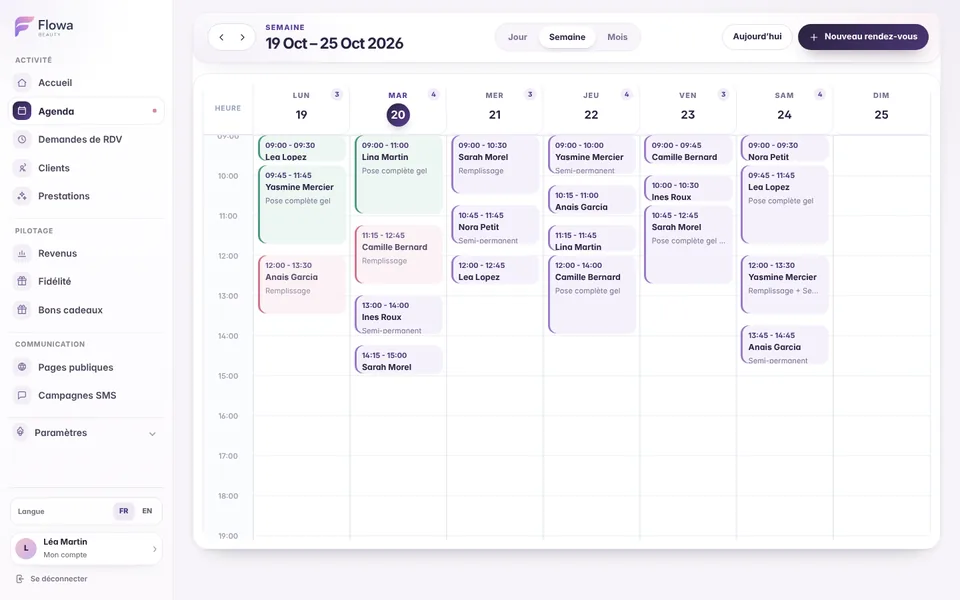
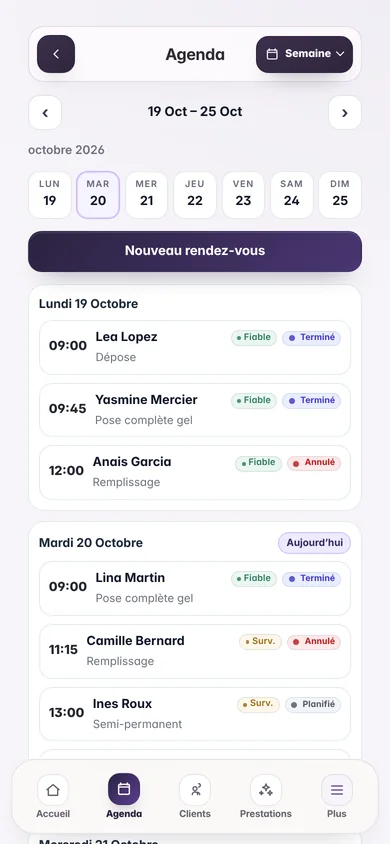
Review appointments, services, durations and clients from your phone. Day, week and month views provide the right level of detail while online requests remain under your control.
The everyday need
A mobile beauty therapist needs quick access to the right day, next client and service information. The calendar must also handle changes without scattering data.
Treatments and combined services should not be forced into one arbitrary slot length.
Navigation and essential actions must remain comfortable between journeys.
A prospect can request a time while the professional keeps final approval.
Inside Flowa
Each appointment brings together what you need to prepare, deliver and record the service.
Follow appointments in order and quickly open the current or next time slot.
Understand workload and reach the correct day without losing the selected week.
Anticipate busy days and return easily to the current date.
Use durations from five minutes, prices and options to create realistic time slots.
Record planned, completed, cancelled and no-show appointments for reliable reporting.
Choose public availability and close dates when no appointment request should be possible.
How it works
Appointments then feed reminders, client records and revenue without repeated entry.
Define the categories, durations, prices and options you actually offer.
Create appointments or approve requests received from the public page.
On mobile, reach the day and current or next appointment quickly.
Confirm the amount paid, payment method and any loyalty stamps.
Clear rules
Frequently asked questions
Every answer reflects how Flowa Beauty currently works.
Yes. The main views and actions are mobile-friendly, and the PWA can be added to the home screen.
Yes. Every service has its own duration from five minutes, plus its price and options.
No. The public page only shows availability calculated from the time ranges you selected.
No. It remains pending until you review the day, adjust the time if needed and approve it.
Yes. Closures and leave dates make the relevant days unavailable for public requests.
Everything stays connected
Try them for 14 days with your real services, no payment card needed. Every feature is then included in the single €29.90/month plan.
Nothing is charged when the trial ends.