Most booking software comes with a free trial. Yet many independents let it slip away: they create an account, click through two or three screens, then come back the day before it ends without having really tested anything. A free trial is useless if you do not prepare it.
Fourteen days is enough to know whether a tool suits you, as long as you test it on your real business rather than on made-up examples.
The short answer: write down your three main frustrations before you start, set the tool up with your real services, test a busy day on your phone, switch to the client's side, check the money and the support, then decide with a scoring grid.
Before you start: prepare your list
Half an hour of preparation will stop you judging the tool by its colours. Write down:
- your three main frustrations today (late-night messages, no-shows, working out your revenue…);
- your five most frequent services, with their real duration and price;
- a typical week: your hours, days off and breaks;
- the essential features you will not switch without (deposits, request approval, loyalty cards…).
Start the trial on the Monday of a normal week, not during the holidays or just before the festive season. And check the terms from the start: is a card required? Will you be charged automatically when the trial ends?
Days 1 and 2: set up in real conditions
Create your services, opening hours and upcoming time off. Time how long the set-up takes: if it takes more than one evening, everyday use may be slow to learn as well.
Things to check:
- Can I give a full set and an infill different durations?
- Can I set different hours on different days?
- Are time off and closed days easy to block?
If a setting confuses you, it is also a chance to test the online help.
Days 3 to 5: the busy-day test
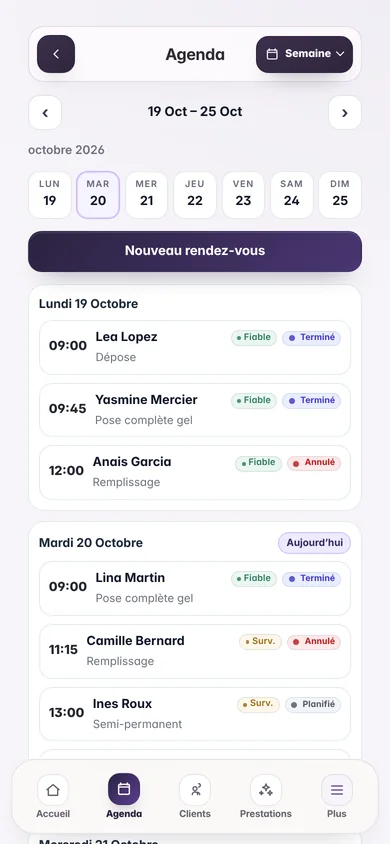
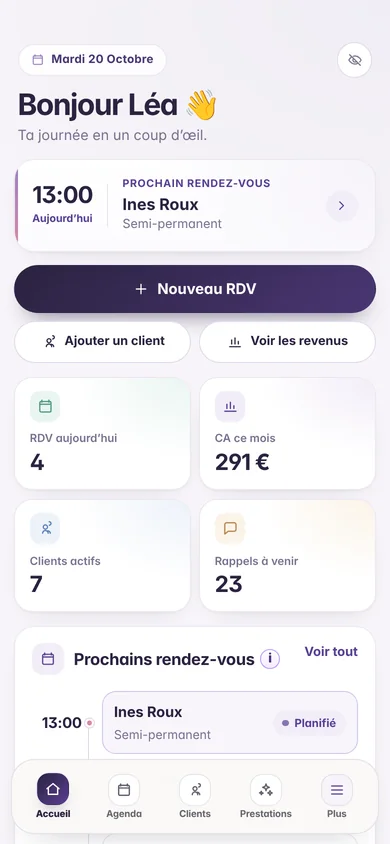
This is the most important test. Take a real day from your current calendar and copy it into the new tool, from your phone, with one hand, just as you would between two clients.
Measure:
- the time to create a complete appointment for a new client (goal: under a minute);
- the time to move an appointment by an hour;
- the time to find a client's last service;
- the number of screens needed to complete a service.
A tool that is comfortable on a computer can become painful on a phone sitting next to your workstation. If you work at clients' homes, test the calendar on the move too.
Days 6 to 8: switch to the client's side
Your clients will judge the software on two things: the booking page and the messages they receive. Test them yourself.
- Open your public page on a phone, as if you were discovering it from Instagram.
- Ask a friend to send an appointment request, then approve it.
- Create an appointment for your own number and check that the SMS reminder arrives at the expected time.
- Move that appointment and check that the reminder follows the change.
Your private calendar must stay hidden: the client sees available slots, not the names of your other clients. See how a mini website with booking requests and automatic SMS reminders work.
Days 9 to 11: check the money
Complete several test appointments with real-life cases: a discount, an extra, a client who did not show up. Then open the revenue view.
- Can the final price be changed when the service is completed?
- Does the revenue shown match what you actually took?
- Is a no-show distinguished from a cancellation?
If deposits matter to you, run a full test: request, payment, deduction from the final price, refund. Also check which fees apply and which account the money goes to, using our method to work out the real cost of software.
Days 12 and 13: support and the exit door
Ask support a real question, for example about a setting that made you hesitate. Note the response time and the quality of the answer: that is what awaits you the day you get stuck on a Saturday.
Finally, check the way out and the way in:
- Can I export my clients if I leave one day?
- Can I import my current file, with a preview before anything is created?
If the tool suits you, now is the time to plan the next step with our method to switch booking software without losing clients.
Day 14: decide with a scoring grid
Score each criterion from 1 to 5, starting with your three frustrations from day one:
- are my three frustrations solved?
- is the busy day faster than with my current tool?
- is it comfortable to use on a phone?
- do the booking page and reminders reassure me?
- are the figures accurate and easy to read?
- is the real monthly cost clear?
- did support help me?
A tool that scores below 3 on one of your main frustrations will not save you time, even if it excels elsewhere. To compare other criteria, use the checklist in our guide to choosing software for an independent beauty business.
Free trial traps
- A card required at sign-up, with an automatic charge when the trial ends. Put the date in your calendar.
- A limited trial that does not include the paid features you plan to use.
- Importing your whole client list on day one, before you know whether you will keep the tool. Start with a few records.
- Announcing the new link to your clients during the trial: wait until you have decided.
- Testing only on a computer, when you will be working on a phone.
Frequently asked questions
Are fourteen days enough to test software?
Yes, if you follow a plan. Two weeks cover at least one busy day, a client request, an SMS reminder, a few completed appointments and a question to support. A month without a plan will teach you less.
Should I enter my real clients during the trial?
A few, yes, to test reminders and history in real conditions. But wait until you have decided before importing your whole file.
What happens at the end of the Flowa trial?
The Flowa Beauty trial lasts 14 days, with no card and no commitment. Nothing is charged automatically when the trial ends: if you continue, you choose the single plan at €29.90 a month, detailed on the pricing page.
A well-run trial beats any demo
A demo shows what the software can do. A well-prepared trial shows what it does for you, with your services, your phone and your clients.
You can follow this plan with Flowa Beauty: create your account and try the whole app for 14 days, with no card required.